Click2Xeet
Chrome X AI Reply Extension
STOP SOUNDING LIKE A BOT.
START SOUNDING LIKE YOU.
Click2Xeet is the first AI reply tool that actually learns YOUR voice. Paste your tweets (up to 100,000 characters!), and Gemini analyzes your rhythm, slang, and personality to generate replies that sound authentically you.
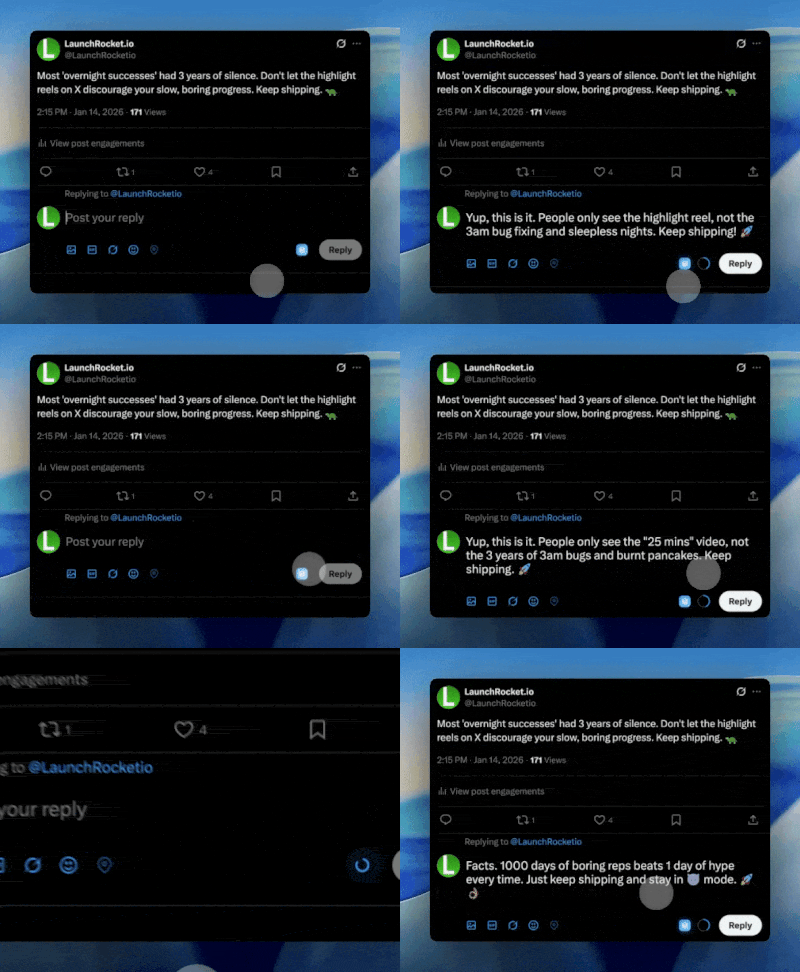
Why Click2Xeet?
Real Voice Cloning
Unlike generic AI tools, Click2Xeet learns from YOUR past tweets. No more "delve into" or "testament to" - just your natural style.
Use Your Own API Key
Bring your own Google Gemini API key (free tier available). No middleman markup. No monthly subscription. You own the connection.
5 Intelligent Modes
Funny
Witty, roasty replies
Brief
Under 5 words. Pure impact.
Agree
Add thoughtful insights
Chaos
Unpredictable, high engagement
Intellectual
Detailed, sophisticated takes
Total Control
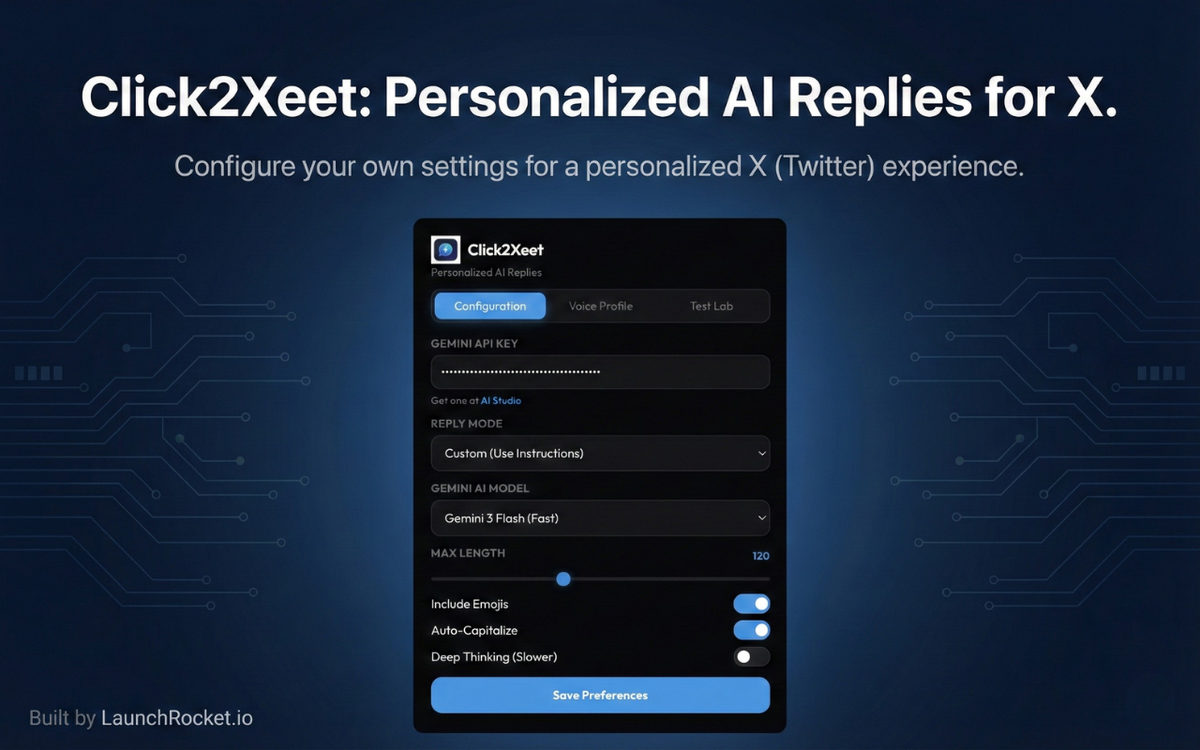
- Adjust character limits (20-280)
- Toggle emojis on/off
- Enable/disable auto-capitalization
- Choose Gemini Flash or Pro
- Deep Thinking mode for nuanced replies
Safe and Private
- Your API key stays in YOUR browser
- No data sent to our servers
- No tracking, no analytics
Replies That Actually
Make Sense
Click2Xeet doesn't just generate text; it understands the tweet you're replying to. It picks up on nuance, humor, and hot takes, crafting a response that fits the conversation perfectly.
- Analyzes the full context of the tweet
- Matches the tone of the conversation
- Avoids generic AI fluff phrases
Train It Once,
Use It Forever
Paste your best tweets into Click2Xeet to create your personal voice profile. The AI analyzes your sentence structure, slang, and formatting preferences to clone your writing style instantly.
- Learns from up to 100k characters of your data
- No recurring training needed
- Your style, deployed in clicks

Native Integration,
Zero Friction
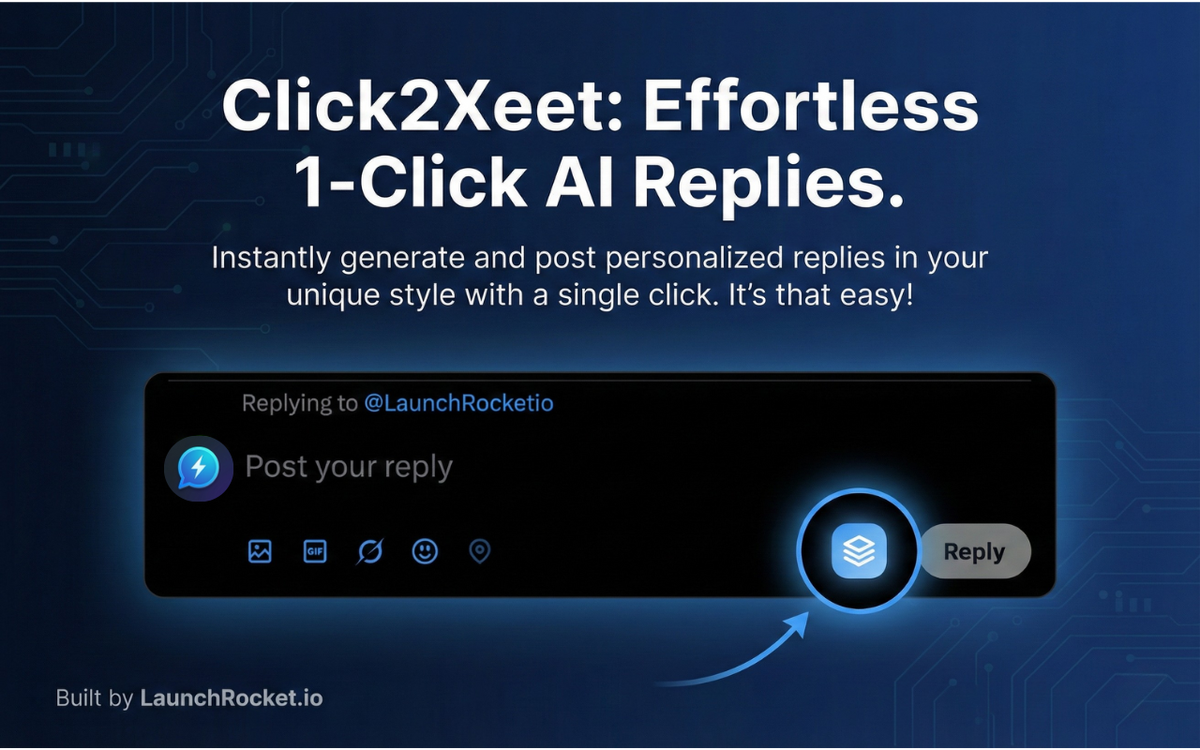
Click2Xeet lives right inside your X (Twitter) interface. No copy-pasting back and forth from ChatGPT. Just click the blue bubble, generated the perfect reply, and hit send.
- One-click reply generation
- Works directly in the Twitter reply box
- Keyboard shortcuts for power users
How It Works
Get Your API Key
Get your free API key from Google AI Studio
Train Your Voice
Paste your tweets to train the AI (up to 100,000 characters!)
Click the Bubble
Click the blue bubble on any tweet to generate a reply
Post It
Review, edit if needed, and post!
Perfect For
Creators who want to engage more without burnout
Busy professionals who value their time
Anyone tired of generic AI-sounding replies
People who want to grow on X without losing their voice
Built with ❤️ by LaunchRocket.io