Micro App vs Micro SaaS: Which Should You Build?

9 min read

Deciding between a quick standalone tool and a recurring revenue business.

Too Long; Didn't Read

  • Microapps are standalone tools (build & deploy) ideal for quick wins, requiring 2-5 days to launch.
  • MicroSaaS targets a specific niche with a recurring revenue model but requires a database, auth, and legal compliance.
  • MicroSaaS startup costs are higher ($50+/mo) due to DB, Email, and Legal requirements, whereas MicroApps can run on $0.
  • Choose MicroSaaS if you want long-term sustainable income; choose a Microapp for rapid idea validation.
If you are stuck choosing between building a micro app and a micro SaaS, here is the short version: Microapps are fast and disposable; MicroSaaS is a real business.a
Don't let the word micro fool you. In this industry, 'micro' describes the size of your audience, not the workload. You are solving a specific problem for a specific group of people. But because you want them to pay you every month, you still have to do the heavy lifting: planning, market research, and SEO. It is a full business, just tighter.
I break this down further in my recent video:

Defining the Contenders with Real Examples

What is a Microapp?

A microapp is a standalone utility designed to do one thing perfectly. Think of a file converter, a specialized calculator, or a static dashboard. Technically, it is usually a Build and Deploy situation. No complex backend, no user accounts, and no saving data.
Real World Example: Think of TinyPNG or a JSON formatter. You visit the site, paste your data, get the result, and leave. There is no login, no history, and usually no payment (unless you click an ad).

What is a MicroSaaS?

A MicroSaaS is a software-as-a-service business shrunk down to a niche. It solves a recurring pain point for a targeted audience. Unlike a simple app, a MicroSaaS needs a brain: a database, a payment system, and a way to log users in. Much, much harder build, especially for a beginner, but the tradeoff is that recurring revenue.
Real World Example: Carrd (single page website builder) or Bannerbear (API for image generation). These tools require you to log in to save your work. Because your data persists and provides value over time, you pay a monthly subscription.
If you are hunting for ideas, check out our guide on SaaS ideas and how to validate them.

Need to Launch Faster?

Don't spend months coding from scratch. Use the LaunchRocket checklist to validate your MicroSaaS idea before you write a single line of code.

Get Free Checklist

Technical Comparison: The Complexity Gap

They couldn't be more different, however. A micro app is usually just a frontend wrapper around some logic. While a Micro SaaS is a living, breathing system.

Micro App vs Micro SaaS: Technical Stack

ComponentMicro AppMicro SaaS
DeploymentBuild β†’ Deploy (Netlify/Vercel)Build β†’ DB β†’ Auth β†’ Payments β†’ Deploy
DatabaseNone or LocalStorageRequired (Postgres/Firebase)
User AuthRarely neededCritical (Supabase/Clerk/Firebase)
RevenueAds / One-time purchase / AffiliateRecurring Subscription (Stripe/Lemon Squeezy)
MaintenanceLow (Fire and forget)High (Customer support, updates, churn mgmt)
Time to MVP2 - 5 Days3 - 6 Weeks

The True Cost of Doing Business

The wallet impact is different, too. While a microapp basically runs on air, a MicroSaaS has monthly overhead from day one:
  • MicroApp Costs: ~$0 - $12/month. Usually just the domain name ($12/year). Hosting on Vercel/Netlify is typically free for static sites. No database costs.
  • MicroSaaS Costs: ~$50 - $150/month (starting). This includes Domain ($12/yr), Database hosting ($0-$25), Auth services (Free tier limits), Transactional Email ($10), and LLC/Legal formation costs (one-time $200+).

What You Actually Need to Start

Since MicroSaaS is the harder (but potentially more profitable) path, make sure you have these boxes checked first:
  • A Validated Niche: Don't build for everyone. Build for 'Dentists using MacBooks' or 'Notion creators'.
  • A Problem Worth Paying For: The problem must recur. If they solve it once and leave, it's a microapp, not SaaS.
  • Tech Stack: A reliable IDE like Google IDX (Antirravity), a backend (Firebase), and payments (Stripe).
  • Time Commitment: Be ready for SEO, marketing, and bug fixes.

Step 1: Deep Market Research

Before you write a line of code, you need to prove that your 'micro' audience actually has a wallet. MicroSaaS projects usually die because the niche is too small, or the users are used to free tools.
Use tools to analyze search volume and competitor gaps. You need to verify that people are searching for a solution to the specific problem you identified.
Keyword Research Tool Interface Dashboard Screenshot
Screenshot of Keyword Research Tool Interface interface
Troubleshooting: If you find zero competitors, be careful. It often means there is no market. If you find giants, niche down further. For detailed strategies, read our B2B SEO playbook.

Step 2: Setup Your Development Environment
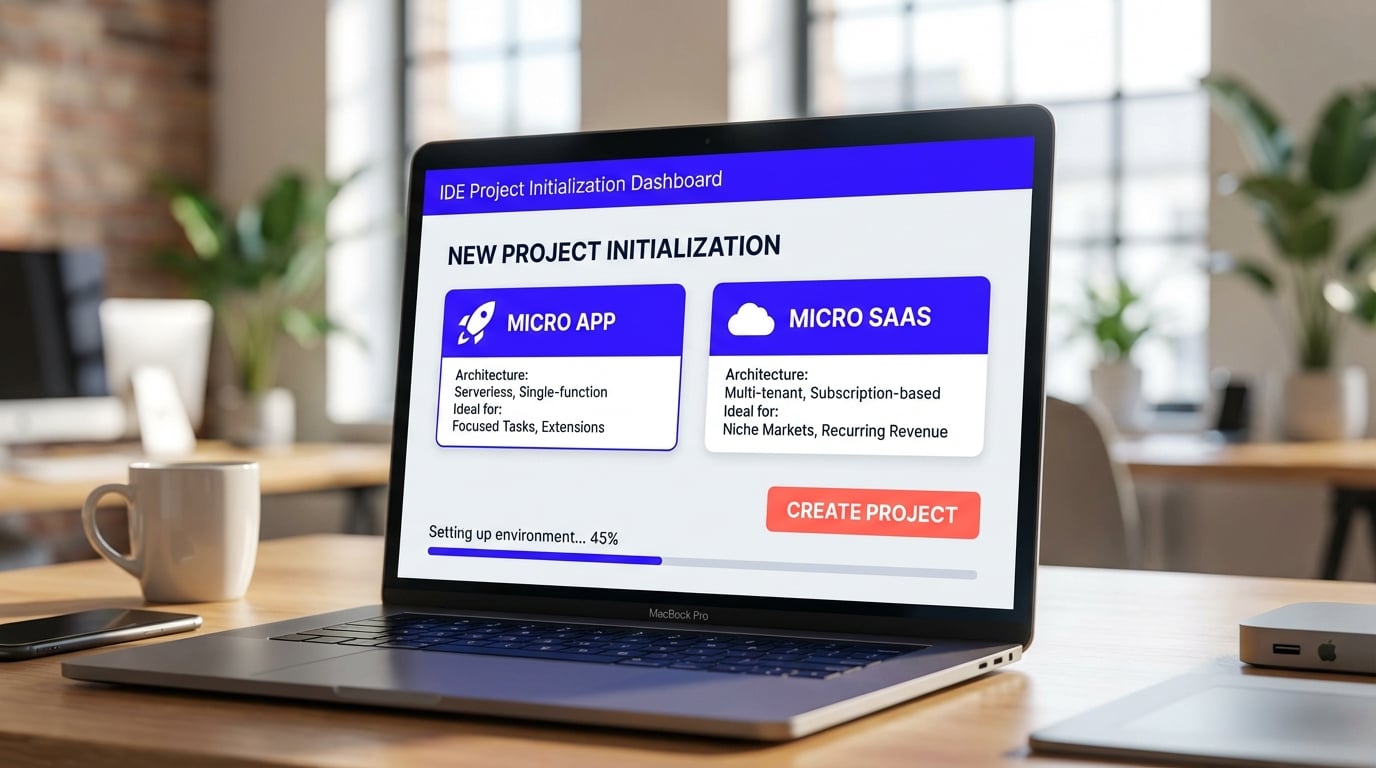
For this walkthrough, we are using Antirravity (Google’s AI IDE). It cuts out a lot of the boilerplate configuration so you can actually focus on the logic.
Go to the environment setup, initialize a new project, and select a template that includes a database connection. This saves hours of manual wiring.
IDE Project Initialization Dashboard Screenshot
Tip: If you prefer a different AI-assisted flow, you might look at Replit Agent which can also scaffold projects rapidly.

Step 3: Integrate Authentication and Database
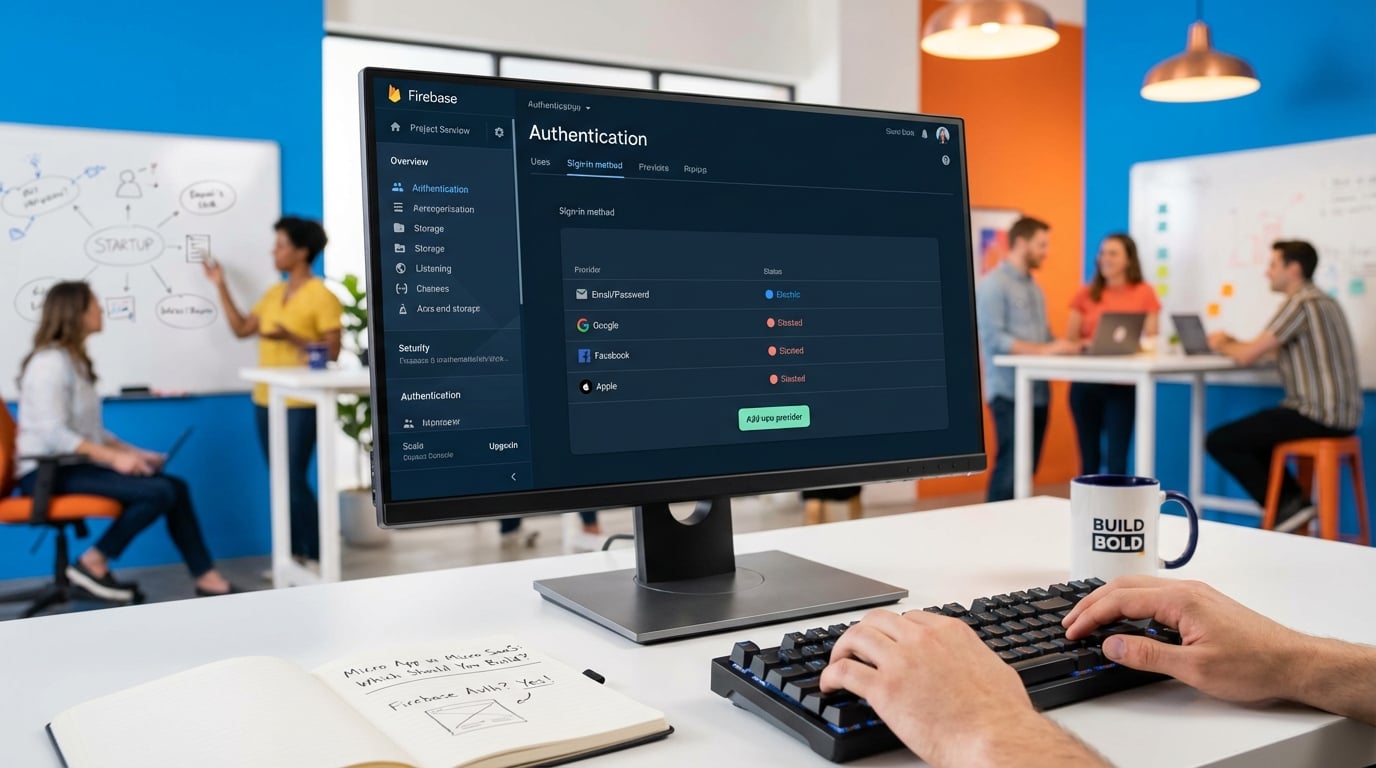
This is the filter that separates the hobbyists from the business owners. You need to know who the user is to charge them. We use Firebase here because it handles both the database and the login flow in one package.
Here is what a basic Auth implementation looks like using Firebase. This code snippet handles the Google Sign-In pop-up:
import { getAuth, signInWithPopup, GoogleAuthProvider } from "firebase/auth";

const auth = getAuth();
const provider = new GoogleAuthProvider();

const handleLogin = async () => {
  try {
    const result = await signInWithPopup(auth, provider);
    const user = result.user;
    console.log("User logged in:", user.email);
    // Redirect to dashboard
  } catch (error) {
    console.error("Login failed:", error.message);
  }
};
Set up Firebase Authentication (Email/Password or Google Sign-in) and initialize Firestore. This ensures you can gate features behind a login screen.
Firebase Console Auth Setup Dashboard Screenshot
Screenshot of Firebase Console Auth Setup interface
Troubleshooting: Ensure your database rules in Firestore are set to secure. Do not leave them in 'Test Mode' indefinitely, or your user data will be exposed.

Struggling with Code?

You don't have to be a senior engineer to build MicroSaaS anymore. Use AI tools to generate production-ready code.

Join the Community

Step 4: Implement Payments (The Revenue Engine)

Since the goal is recurring revenue, you need a payment processor. Stripe is the standard, but for a solo MicroSaaS, look closely at Lemon Squeezy. They act as the Merchant of Record, meaning they handle the global sales tax nightmare so you don't have to.
With Stripe, you need to listen for Webhooks to know when a user has actually paid. You cannot trust the frontend. Here is a simplified NodeJS example of listening for a successful subscription:
app.post('/webhook', express.raw({type: 'application/json'}), (request, response) => {
  const sig = request.headers['stripe-signature'];
  let event;

  try {
    event = stripe.webhooks.constructEvent(request.body, sig, endpointSecret);
  } catch (err) {
    return response.status(400).send(`Webhook Error: ${err.message}`);
  }

  // Handle the event
  if (event.type === 'checkout.session.completed') {
    const session = event.data.object;
    // Fulfill the purchase, update Firebase DB to "premium"
    updateUserStatus(session.customer_email, 'premium');
  }

  response.send();
});
Create a 'Pro' plan in your payment dashboard and link the checkout button in your app to this plan ID. When the webhook confirms payment, update the user's status in your Firebase database.

Monetization Alternatives for Microapps

If you decide to stick with a Microapp, you don't have to rely solely on ads. You can try:
  • Affiliate Marketing: Recommend related tools (e.g., a color picker tool recommending a design course).
  • Sponsorships: Sell a header banner to a company in your niche.
  • Licensing: Sell the entire code base or tool to a larger company (MicroAcquire).

Step 5: Legal, Compliance, and Support

Most indie hackers skip this part, and it usually bites them later. Because you are storing user data and charging credit cards, you are liable.
  • GDPR & Privacy: You must have a Privacy Policy explaining what data you store. Tools like Termly can generate these.
  • Support Burden: Unlike a microapp where "it works or it doesn't," SaaS users expect support. Set up a dedicated support email or use a tool like Crisp for chat. Be prepared to answer questions about billing and bug fixes.
  • Churn Management: Users will cancel. You need automated emails (Drip campaigns) to try and win them back, or at least ask why they left.

Step 6: Launch, Metrics, and Growth

Deploying is just the starting line. A microapp might survive on organic traffic, but a MicroSaaS dies without active marketing.

Acquisition Strategy

Don't just post on Twitter. You need a mix:
  • SEO: Target "How to [solve problem]" keywords. This takes 3-6 months to kick in.
  • Directories: Submit to Product Hunt, BetaList, and niche-specific directories.
  • Free Tools: Build a free microapp that acts as a lead magnet for your main MicroSaaS.

Key Metrics to Watch

For a Microapp, you mostly care about Traffic and Time on Site. For MicroSaaS, vanity metrics don't pay the bills. Focus on: * MRR (Monthly Recurring Revenue): Your lifeblood. * Churn Rate: The % of people cancelling every month. If this is >10%, fix your product before marketing more. * LTV (Lifetime Value): How much a user pays you before they leave.

Failure Scenarios and Migration Paths

What if it flops? If you don't hit $500 MRR in 6 months, you have three moves: Pivot (change the feature set based on feedback), Kill it (stop paying for servers), or Sell it on a marketplace like Acquire.com.
The Migration Path: Many successful founders start with a Microapp. If your free tool gets 1,000 visits a month, that is validation. You can then add a 'Pro' login feature to that existing tool, effectively migrating it from a Microapp to a MicroSaaS without starting from scratch.

Scale Your MicroSaaS

Found your niche? Now it's time to grow. Get the best tools to scale from 10 to 1000 users.

Join the Community

Pros

  • β€’ MicroSaaS: High LTV through recurring revenue.
  • β€’ MicroSaaS: Lower competition due to specific niche focus.
  • β€’ MicroSaaS: Sellable asset with valuation based on MRR.
  • β€’ Microapp: Extremely fast development cycle (Days vs Weeks).
  • β€’ Microapp: Near-zero maintenance costs.

Cons

  • β€’ MicroSaaS: High complexity (Auth, DB, Security).
  • β€’ MicroSaaS: Requires ongoing customer support and churn management.
  • β€’ MicroSaaS: Heavy legal compliance burden (GDPR, Tax).
  • β€’ Microapp: One-time revenue limits growth.
  • β€’ Microapp: Low barrier to entry means higher copycat risk.

Pro Tip

Start with a Microapp to build an audience, then upsell them into a MicroSaaS later.

Use 'Merchant of Record' payment providers like Lemon Squeezy to avoid global tax headaches.

Don't build your own auth system; use Firebase, Clerk, or Supabase.

Always include a Terms of Service and Privacy Policy for MicroSaaS; data handling laws like GDPR are strict.

Frequently Asked Questions

What is the main difference between a micro app and micro SaaS?

A micro app is typically a standalone, single-function tool with no recurring payments or complex backend. Micro SaaS is a subscription-based business solving a specific problem for a niche audience, requiring a database, authentication, and ongoing support.

Is MicroSaaS easier to build than a full SaaS?

Technically, yes, because the scope is smaller. However, from a business perspective, it requires the same level of rigorous planning, SEO, and market research. The micro refers to the audience size, not the effort.

Which tech stack is best for MicroSaaS?

For speed, a stack like Next.js with Firebase (for Auth/DB) and Stripe (for payments) is standard. AI IDEs like Google IDX (Antirravity) can accelerate the setup process significantly.

Can a micro app generate recurring revenue?

Rarely. Micro apps usually rely on ads, donations, or one-time purchase fees. To justify a recurring subscription, the application typically needs to save data, show history, or provide ongoing service, which transitions it into MicroSaaS territory.

How long does it take to launch?

For a MicroApp, expect 2–5 days. For a MicroSaaS, a realistic MVP timeline is 3–6 weeks depending on complexity and legal setup.
#micro app#micro saas
L

LaunchRocket Team

Helping founders build and scale detailed software products.

Join the Newsletter

Get growth tactics and launch strategies delivered to your inbox for builders like you.

Unsubscribe at any time.